

On Tuesday evening in India, I gave a keynote to a room full of IT professionals. The feedback that stayed with me came later, over dinner and drinks.
In the space of a few casual conversations, five different people brought it up. They told me how well I seemed to understand their industry. They said they loved that the talk was built around India rather than a generic global audience. They said the slides were beautiful and, the comment I treasure most, that the slides actually helped me tell the story instead of competing with it.
I said thank you, and I meant it. What I didn’t get into over dinner was how that keynote got built.
I’m not an IT professional. I’m a former accountant from Wisconsin who lives in North Queensland. So how did I sit down with people who run technology for a living and convince them I understood their world? How did a talk delivered in India feel like it was written for India? And how did I end up with slides people wanted to talk to me about afterwards?
The short answer is that I used AI for nearly every step. The longer answer is the rest of this newsletter.
Breaking boards over your knee
Lately I’ve noticed something among my speaking colleagues. A number of well-regarded professional speakers now make a point of telling clients they build every keynote and every slide deck from scratch, by hand, with no AI involved.
I understand why. It signals craft. It reassures a client who worries they’re paying for something a machine produced in thirty seconds. In a market flooded with generic AI content, “made by a human” sounds like a promise of quality.
But to me, it’s like building a house without hammers and saws. You break the boards over your knee and pound the nails in with the heel of your shoe. You might end up with a house, but it will take you three times as long, and I’m not sure you’d want to live in it.
I’m a firm believer that if you have a tool, especially one as powerful as AI, you should use it. You should also use it responsibly, and that second half is where most of the work lives. The value of a keynote was never the typing. It’s the research, the judgment about what matters to this particular room, and the decision about what I’m willing to stand behind on stage. AI lets me spend more of my time on those things, not less.
This is exactly how I do it.
The setup
Every keynote I build starts in a dedicated Claude Project I call the Keynote Framework Generator. A Project is a workspace that keeps its context, so I never start from a blank chat. Mine holds my standing instructions for how keynotes get built, my own frameworks (the 9 Currencies of Choice®, the Future-Proof Talent Model and the C-Suite AI Playbook), my speaker kit and positioning, a predefined slide template, and the full builds of past keynotes I can draw from.
That last part matters more than it sounds. Everything gets saved back into the Project, so every keynote I build makes the next one better.
Step one: the brief
I give Claude whatever I have. That might be the client’s brief, a string of emails, my own notes and, very often, a Fathom transcript of the discovery call. Claude only asks for what’s missing: the event, the audience and its size, the objective, the length, the tone, and what the audience should feel, think and do differently when they walk out.
If the goal is vague, Claude pushes back and suggests a sharper one. I set it up to do that, because a fuzzy objective is the fastest route to a forgettable keynote.
Step two: choosing the structure
Claude picks from a library of six keynote structures, including HEROIC, Before/After/Bridge, SCQA and Story-Led, and it has to defend its choice before any design starts. That rule came from a lesson I learned early on, when every keynote I built quietly defaulted to the same shape. Now the tool has to argue for its pick, and I get to argue back.
Step three: research, verified
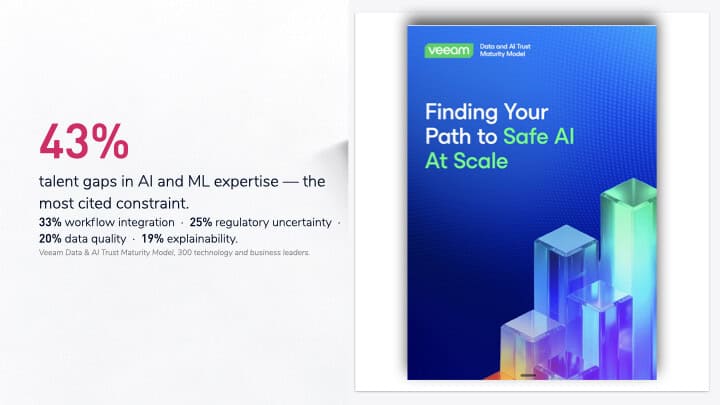
This is where the India keynote was won. Claude searches the live web for current, industry-specific data and case studies. For this one, that meant researching and building case studies of two companies that had done exactly what I was arguing for in the keynote: Ingka Group, IKEA’s largest franchisee, and the global investment firm Carlyle. Alongside them sat specific, current statistics on the pushback against data centres in India.
The rule I won’t bend is that every statistic is verified and sourced before it goes in front of an audience. I audit the claims myself and challenge anything that looks shaky. Claude is expected to flag uncertainty rather than smooth it over, and any example that can’t be verified gets marked as illustrative. A room of IT professionals will spot a made-up number faster than almost anyone.
Step four: three expert reviews
Before I see a draft, Claude reviews it through three separate lenses. A storyteller checks the emotional flow and momentum. A change designer checks that people will actually do something differently afterwards. An audience strategist checks that the structure fits where this particular room is starting from.
Step five: the build
The output is a full structure: every section, its timing, the emotion it should create, the stories, the interaction moments like polls and a show of hands, the live AI demos, and a 30/60/90-day action close. That becomes a slide-by-slide build sheet. Each slide is marked reuse, modify or build new, with its source and the line it carries. A pre-flight checklist covers on-slide sources, venue tech and demo tools, so nothing surprises me on the day.
Step six: design with ChatGPT
Once the content and build sheet are locked, I hand ChatGPT a very detailed design brief and it generates the whole deck from my predefined template, images included. There’s no manual assembly in Canva or anywhere else.
This is the step that produced the slides people kept bringing up over dinner.

Why two tools? Because each does what it’s best at. Claude handles the thinking: structure, evidence and narrative. ChatGPT handles the visual production. I don’t expect one tool to be brilliant at everything, any more than I’d expect one person to be.
Step seven: iterate, deliver, save
Every keynote goes through several rounds of changes. My actual running order on the day often differs from the plan, and the speaker notes get updated to match. Claude also produces the take-home resources, workshop structures and prompt packs. Then it all goes back into the Project, so the next keynote starts further ahead than this one did.
The rules I don’t bend
AI does the heavy lifting. I keep the judgment: what’s true, what matters to this room, and what I’ll stand behind on stage.
Everything is framed around what the audience can act on Monday morning, not theory.
Live demos use only tools the client has approved. In front of a room of IT professionals, pulling up a tool their organization hasn’t approved would undo my credibility in seconds. Live demos also run on synthetic data only, every time.
What this means for you
You may never build a keynote. But you probably build things that look a lot like one: board papers, pitches, strategy documents, training sessions, the quarterly update nobody reads past page two. The same pattern applies. Give the tool your context once so you’re not starting from blank every time. Make it defend its choices. Verify everything it tells you. Use each tool for what it’s best at. And keep the judgment for yourself, because that’s the part your audience is actually there for.
So I’m curious. Where in your own work are you still breaking boards over your knee? And which part would you never hand to a machine, no matter how good it gets?
P.S. If you’re planning a 2027 conference or leadership event and want a keynote built for your room rather than pulled off a shelf, my inbox is open: kim@kimseelingsmith.com
#EverydayAI #AIAdoption #AIKeynoteSpeaker #ITLeadership